Introduction
In order to play a video game, you will need some sort of display or monitor so that you can see what you are doing and what actions you need to play. This is aiming towards home consoles and PC's since handheld gaming devices such as a Nintendo 3DS and PS Vita already has the display built within it. You can connect a display using different variations of display ports which all do a different type of job and can be more beneficial for different uses. Here are the main 4 cables that are used for connecting a gaming device to a display.
Display
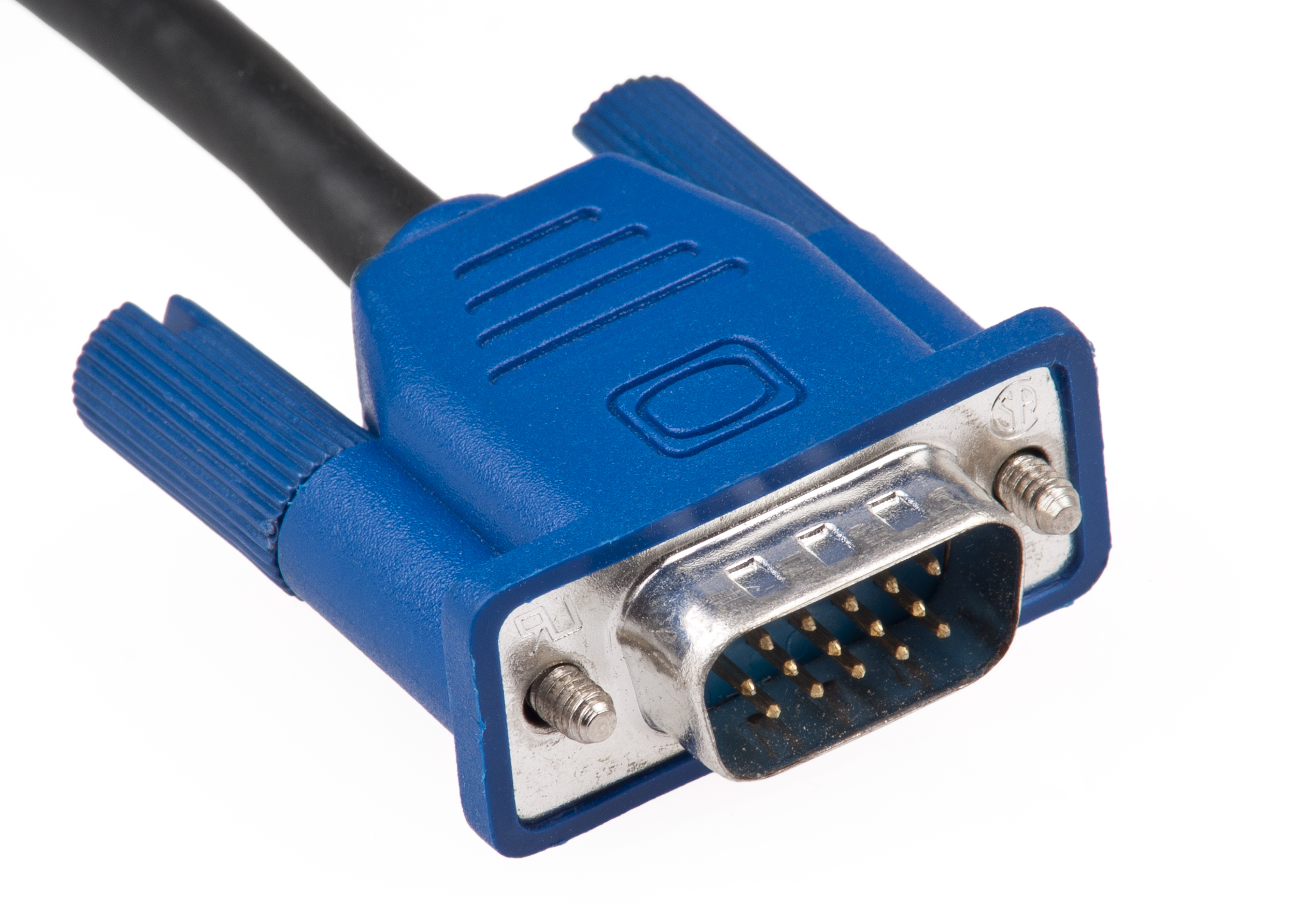
VGA (Video Graphics Array)
VGA is an adapter that is pretty much outdated today since you can get other types of display ports for a cheap price and they give you better standards compared to the VGA. The connector has 2 screw like holders which can be tightened and keep the adapter in place. VGA can work well with much older technology such as square monitors and old TV's but it can't compete with the ports for the newer software as it doesn't offer anything better such as resolution and quality.
DVI (Digital Visual Interface)
DVI is another type cable that is used frequently even today for Display. The design and structure of the adapter is old fashioned as it has the 2 screws to hold it in place and it is rather chunky. There are 3 different types of DVI connectors which each give off a different type of signal used. However, This cable cannot carry over audio or data along with the digital video which means that you will need speakers or headphones to be able to listen to the sound.
- DVI-I - Combines both digital and analog signals
- DVI-D - Digital signals only
- DVI-A - Analog signals only

The connectors also have different types of links, which allow the DVI cable to be capable of doing specific things in a better resolution or refresh rate.
- Single Link - Employs a single 165 MHz transmitter that supports resolutions up to 1920 × 1200 at 60 Hz.
- Dual Link - Dual-link DVI adds six additional pins (located in the center of the connector) for a second transmitter increasing the bandwidth and supporting resolutions up to 2560 × 1600 at 60 Hz. This is also capable of supporting 1080p at a 144hz refresh rate.
HDMI (High-Definition Multimedia Interface)
HDMI is one of the most popular and simple connectors used for display, as it carries over both uncompressed video and audio data which means that you won't need multiple cables as you have everything you need compacted into one. HDMI has many different versions where the cable has been improved so that it is capable of being able to support higher resolution and refresh rate. HDMI is used a lot since the cable is much smaller than others such as VGA and DVI, it gets the job done and you don't need to mess about adding extra wires for things such as audio as it all comes within the same cable.

Displayport
Displayport is very similar to a HDMI cable, but has some slight differences which initially make it much better than a HDMI cable. For example, it has a lock in connector unlike the HDMI and a displayport 1.3 can support 8k digital video at 60hz. It also carries audio like the HDMI, network and can reach up to 21:9 aspect ratios. This cable is also capable of supporting 144hz which is a very useful aspect for competitive games which need fast reactions such as CSGO.

Above is a video explaining all 3 connectors in a quick 5 minute video stating the strong and bad points about each cable and the capabilities they have.
This is a video where I explain how the monitor is connected to the raspberry pi and what the cable does. I also talk about some of the settings on the monitor and what they can do to be more useful for viewing the gameplay.
Controllers
There are various ways of using controllers to different platforms as each console could have a different type of controller used specifically made for that console.
Keyboard & Mouse - This is best for competitive games such as FPS and MOBA genres, where precision and speed is needed so that fast reactions can count rather than using some other type of controller which would be slower and less accurate. The keyboard allows you to set your own hotkeys and controls so that you have the most comfortable way of playing a game to your liking and the mouse is easily customisable to have the right sensitivity for you in both DPI and in game. there are also a wide range of different keyboards and mouses you are able to purchase which could be more comfortable for you as you play your games.
Keyboards - You can get these with rubber dome keys or mechanical keys, which change the way how the keys feel as using mechanical can give you an advantage in competitive games as the key activates at a certain point when you press it whilst you have to press the rubber dome key all the way down to the bottom of the keyboard for it to function which could potentially make you lose the game in a competitive point of view.
Mouse - There are many different types of mouse with different structures, feels, macro keys, and sensors which help the mouse move. The macros could be very useful in games such as DOTA as you can easy set your attacks to one of the side buttons and not have to stretch across you're keyboard to hit the right attack and its right next to your thumb. the mouse also has both optical and laser sensors which is the way that the mouse detects when and how to move and optical is most preferred because its the most accurate and reliable.
Controller (PS4/ Xbox One) - A controller is a more casual way to play video games without being in too much of a competitive manner. For example, a controller is useful because all of the buttons are right there for you and very easy to learn and the keys you have are all programmed to do something within the game. however, you can't quickly and accurately move in games which take more of a competitive aspect in PC as you have a bigger advantage over how to play as you can quickly turn around and use your mouse to aim easier on a PC where on a controller, the analog stick is capped at a certain turning rate and it's not as accurate. I think that this controller is great for family friendly games and games with a genre such as platforms and fighting games since you don't need a mouse and keyboard which makes it much more comfortable using a controller.
Wii Remote - The Wii remote is a completely different way of playing video games using motion sensors to detect where the cursor is aiming so you can play easily sat on the couch with the family. This controller also has movement like sensors in it which is very good for family sport like games such as Wii Sports as you act like you are swinging a tennis racket or you are actually boxing which I believe is a really fun experience. I think that this idea was a fun idea to play with family and friends but I don't think that its a very good way for playing competitive games as I find that the sensor glitches from time to time and its not the most accurate.
Kinect - This uses a line of motion sensor input devices to detect the actual movement of a player so that it mimics what you do and then performs it in the game. This is another good way to play more physical and active game such as Just Dance which can be good to play with and against friends as it gets you active and motivated.
Touch Screen - Using a touch screen is a very casual way to play a game since they are only really used on platforms such as mobile phones, tablets and touch screen laptops. I believe that this makes it easy to play games where you have to touch in different areas of the screen such as Fruit Ninja or Love Live School Idol Festival which is fun as it allows you to use your coordination and reaction skills to play the game which could be both easy and difficult.
This is a video where I explain the controllers and why they could be useful and not so useful in gaming aspects.
Settings/ Installing
To install a game online, you can go onto one of the stores such as the steam, Playstation or Xbox store, search for a certain video game and then either buy the game I want which then gets installed afterwards or I could search for a free game to play which would install instantly and go to my library where all of my games are held.
Within a video game, there are different settings that can be very useful for a player as the settings can help them within a competitive manner or even casual just so that the game looks better in the eye or can be more suitable for people that are for example, colour blind. There are setting that can make a game look better or run better which all depends on the specifications that the PC or console; but this is mainly PC since consoles graphics aren't very customisable since everybody is able to get the same experience since it has the same specification. I can change things within a game like sounds which can be useful so I can hear the important things such as footsteps which will help me find a location of an enemy which overall gives me a good advantage over the other person.
In this, I talk about where to download or get video games from and I also talk about different settings and how they could be beneficial to the player.
Multiplayer
Multiplayer is a pretty big aspect nowadays for video games, as it has both competitive and casual manners which are enjoyable for the players. A lot of people play online now and most people have an internet connection which is easy to set up so that you can play online with your friends. For example, you can use an Ethernet cable to connect to the internet which goes straight from the router into the console or PC which is the best way since the connection is stable and not likely to disconnect since the Wi-fi signal isn't floating about and having to travel through multiple obstacles. If you are using a device such as a laptop or a handheld platform like a 3DS, then you are better to connect through Wi-fi using the login username and password on the back of the router. Once you are online, then it is simple to go online using Playstation network, Xbox live or using various servers for PC games.

No comments:
Post a Comment