Introduction
In order to play a video game, you will need some sort of display or monitor so that you can see what you are doing and what actions you need to play. This is aiming towards home consoles and PC's since handheld gaming devices such as a Nintendo 3DS and PS Vita already has the display built within it. You can connect a display using different variations of display ports which all do a different type of job and can be more beneficial for different uses. Here are the main 4 cables that are used for connecting a gaming device to a display.
Display
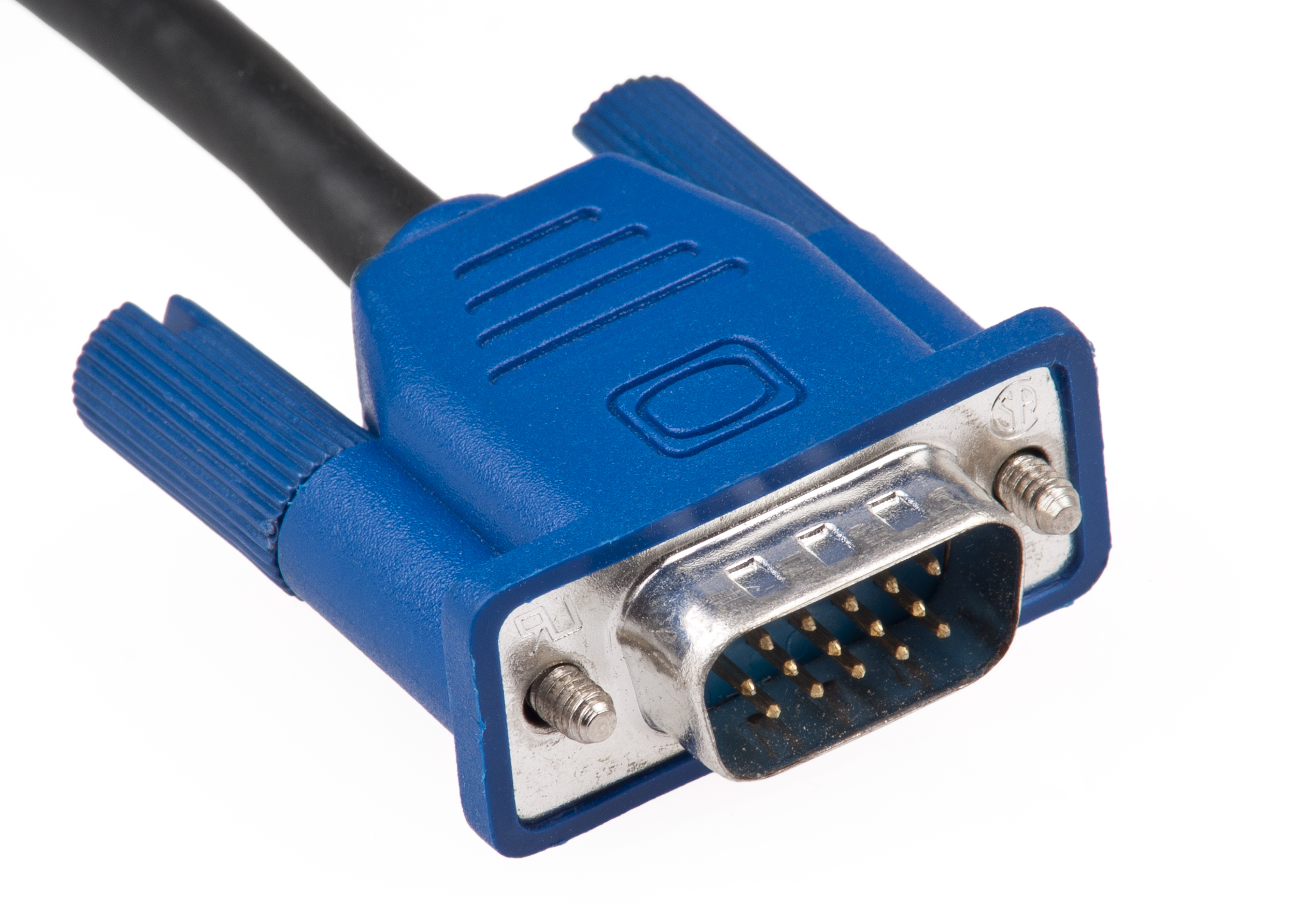
VGA (Video Graphics Array)
VGA is an adapter that is pretty much outdated today since you can get other types of display ports for a cheap price and they give you better standards compared to the VGA. The connector has 2 screw like holders which can be tightened and keep the adapter in place. VGA can work well with much older technology such as square monitors and old TV's but it can't compete with the ports for the newer software as it doesn't offer anything better such as resolution and quality.
DVI (Digital Visual Interface)
DVI is another type cable that is used frequently even today for Display. The design and structure of the adapter is old fashioned as it has the 2 screws to hold it in place and it is rather chunky. There are 3 different types of DVI connectors which each give off a different type of signal used. However, This cable cannot carry over audio or data along with the digital video which means that you will need speakers or headphones to be able to listen to the sound.
DVI-I - Combines both digital and analog signals
DVI-D - Digital signals only
DVI-A - Analog signals only
The connectors also have different types of links, which allow the DVI cable to be capable of doing specific things in a better resolution or refresh rate.
Single Link - Employs a single 165 MHz transmitter that supports resolutions up to 1920 × 1200 at 60 Hz.
Dual Link - Dual-link DVI adds six additional pins (located in the center of the connector) for a second transmitter increasing the bandwidth and supporting resolutions up to 2560 × 1600 at 60 Hz. This is also capable of supporting 1080p at a 144hz refresh rate.
HDMI (High-Definition Multimedia Interface)
HDMI is one of the most popular and simple connectors used for display, as it carries over both uncompressed video and audio data which means that you won't need multiple cables as you have everything you need compacted into one. HDMI has many different versions where the cable has been improved so that it is capable of being able to support higher resolution and refresh rate. HDMI is used a lot since the cable is much smaller than others such as VGA and DVI, it gets the job done and you don't need to mess about adding extra wires for things such as audio as it all comes within the same cable.
Displayport Displayport is very similar to a HDMI cable, but has some slight differences which initially make it much better than a HDMI cable. For example, it has a lock in connector unlike the HDMI and a displayport 1.3 can support 8k digital video at 60hz. It also carries audio like the HDMI, network and can reach up to 21:9 aspect ratios. This cable is also capable of supporting 144hz which is a very useful aspect for competitive games which need fast reactions such as CSGO.
Above is a video explaining all 3 connectors in a quick 5 minute video stating the strong and bad points about each cable and the capabilities they have.
This is a video where I explain how the monitor is connected to the raspberry pi and what the cable does. I also talk about some of the settings on the monitor and what they can do to be more useful for viewing the gameplay.
Controllers
There are various ways of using controllers to different platforms as each console could have a different type of controller used specifically made for that console.
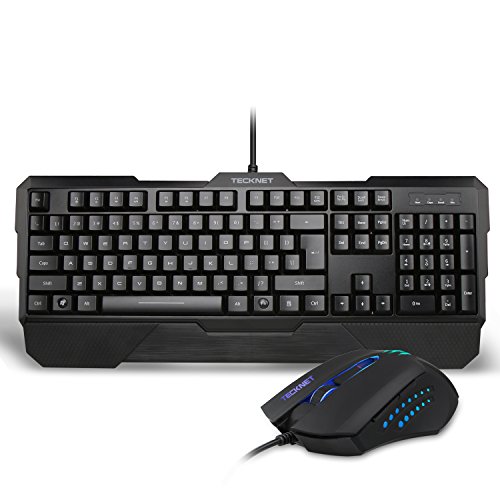
Keyboard & Mouse - This is best for competitive games such as FPS and MOBA genres, where precision and speed is needed so that fast reactions can count rather than using some other type of controller which would be slower and less accurate. The keyboard allows you to set your own hotkeys and controls so that you have the most comfortable way of playing a game to your liking and the mouse is easily customisable to have the right sensitivity for you in both DPI and in game. there are also a wide range of different keyboards and mouses you are able to purchase which could be more comfortable for you as you play your games.
Keyboards - You can get these with rubber dome keys or mechanical keys, which change the way how the keys feel as using mechanical can give you an advantage in competitive games as the key activates at a certain point when you press it whilst you have to press the rubber dome key all the way down to the bottom of the keyboard for it to function which could potentially make you lose the game in a competitive point of view.
Mouse - There are many different types of mouse with different structures, feels, macro keys, and sensors which help the mouse move. The macros could be very useful in games such as DOTA as you can easy set your attacks to one of the side buttons and not have to stretch across you're keyboard to hit the right attack and its right next to your thumb. the mouse also has both optical and laser sensors which is the way that the mouse detects when and how to move and optical is most preferred because its the most accurate and reliable.
Controller (PS4/ Xbox One) - A controller is a more casual way to play video games without being in too much of a competitive manner. For example, a controller is useful because all of the buttons are right there for you and very easy to learn and the keys you have are all programmed to do something within the game. however, you can't quickly and accurately move in games which take more of a competitive aspect in PC as you have a bigger advantage over how to play as you can quickly turn around and use your mouse to aim easier on a PC where on a controller, the analog stick is capped at a certain turning rate and it's not as accurate. I think that this controller is great for family friendly games and games with a genre such as platforms and fighting games since you don't need a mouse and keyboard which makes it much more comfortable using a controller.
Wii Remote - The Wii remote is a completely different way of playing video games using motion sensors to detect where the cursor is aiming so you can play easily sat on the couch with the family. This controller also has movement like sensors in it which is very good for family sport like games such as Wii Sports as you act like you are swinging a tennis racket or you are actually boxing which I believe is a really fun experience. I think that this idea was a fun idea to play with family and friends but I don't think that its a very good way for playing competitive games as I find that the sensor glitches from time to time and its not the most accurate.
Kinect - This uses a line of motion sensor input devices to detect the actual movement of a player so that it mimics what you do and then performs it in the game. This is another good way to play more physical and active game such as Just Dance which can be good to play with and against friends as it gets you active and motivated.
Touch Screen - Using a touch screen is a very casual way to play a game since they are only really used on platforms such as mobile phones, tablets and touch screen laptops. I believe that this makes it easy to play games where you have to touch in different areas of the screen such as Fruit Ninja or Love Live School Idol Festival which is fun as it allows you to use your coordination and reaction skills to play the game which could be both easy and difficult.
This is a video where I explain the controllers and why they could be useful and not so useful in gaming aspects.
Settings/ Installing
To install a game online, you can go onto one of the stores such as the steam, Playstation or Xbox store, search for a certain video game and then either buy the game I want which then gets installed afterwards or I could search for a free game to play which would install instantly and go to my library where all of my games are held.
Within a video game, there are different settings that can be very useful for a player as the settings can help them within a competitive manner or even casual just so that the game looks better in the eye or can be more suitable for people that are for example, colour blind. There are setting that can make a game look better or run better which all depends on the specifications that the PC or console; but this is mainly PC since consoles graphics aren't very customisable since everybody is able to get the same experience since it has the same specification. I can change things within a game like sounds which can be useful so I can hear the important things such as footsteps which will help me find a location of an enemy which overall gives me a good advantage over the other person.
In this, I talk about where to download or get video games from and I also talk about different settings and how they could be beneficial to the player.
Multiplayer
Multiplayer is a pretty big aspect nowadays for video games, as it has both competitive and casual manners which are enjoyable for the players. A lot of people play online now and most people have an internet connection which is easy to set up so that you can play online with your friends. For example, you can use an Ethernet cable to connect to the internet which goes straight from the router into the console or PC which is the best way since the connection is stable and not likely to disconnect since the Wi-fi signal isn't floating about and having to travel through multiple obstacles. If you are using a device such as a laptop or a handheld platform like a 3DS, then you are better to connect through Wi-fi using the login username and password on the back of the router. Once you are online, then it is simple to go online using Playstation network, Xbox live or using various servers for PC games.
Platform Dependency is basically when a game is only available for a certain platform and that platform only. This means that the game has been made for that platform only for mostly beneficial reasons such as to get the players to buy that console in order to play that game and it can only run on one operating system. Advantages
Platform Dependency can allow a user to buy the platform it is created specifically for in order so that they can play the game. This means that the consoles company will profit because they will be earning more money from the units sold. The company will be offered more support and funding because both companies that have created the console and the game have made a licensing agreement. A game like Forza which was
Disadvantages
A disadvantage using this technique is that people may not buy it because they don't have the console that the game has been released on. For example, if somebody only played games on a specific console such as a Playstation 4, then they wouldn't be able to play exclusive games that are only playable on another console such as the Xbox One which means that if they actually wanted to play a games such as Forza Motorsport 6, then they would have to purchase an Xbox One and the game itself which would be a ridiculous amount of money for just one game that you could possibly end up playing only once and never again.
Examples
InFamous: Second Son - PS4 Only
InFamous: Second Son is a sequel of the InFamous series, which was released on PS4. This is a good example of how Platform Dependency could be bad as a game like this could be spoiled because the first game is only available to be played on the PS3, meanwhile the second game is only available on the PS4. Obviously, this might not be too bad considering that the game was basically upgraded to the next generation but this could end up in resulting on somebody not being able to play the sequel or original because they would have to spend money on a completely different console because you are unable to play PS3 in a PS4 and vice versa.
The game is about a boy can steal and copy magical powers and it's up to the player what choices that he should make throughout the game, as there are multiple outcomes which could be either heroic or evil. The environment in the game is based around the Urban cities and it tries to realistic lighting and graphics to try and make the player think that what is happening in the game is potentially real and destruction could actually occur. Depending on what route you take, you will be able to inherit different powers and moves which will change and have a different effect on what will actually happen in the outcome such as the animation shown and the destruction actually caused.
I think that this is an ideal game for a console because the controls are not too complex and the tasks within the game are not too difficult so you don't need quick reactions and accuracy to actually beat the game. There are not many different moves you can perform within the game either, which makes me think that using a keyboard with macros would be pretty much useless since on a controller, you have every move already configured for you and it means that it would also be easier for anyone to use, especially new players.
Forza Motorsport 6 - Xbox One Only
Forza is a series of games that has been going on for a long time as each game focuses on improving graphics, customisation, mechanics and overall performance. You can participate in multiplayer online with people from all over the world or you could just play with your friends that are on your friends list. The main objective is to race where the game has a wide selection of different maps and then you can race against either AI or real people over the internet which is a pretty simple objective but it could potentially turn out to be really fun, especially with friends.
I think that the controls suit this game since that the whole control system isn't too critical and the controller has everything already on it that you need. In fact, I think that playing games like this would be easier and more enjoyable to play on a controller because it's simple and everything is already there for you.
Pokemon X and Y - 3DS
Pokemon is a franchise that has been going on since 1996, where there has been many main games that introduce us to new generations of Pokemon and new stories and regions to explore and there has also been many different spin offs as well, where some have been popular and some have not been as much. Pokemon X and Y is the first main Pokemon game that has introduced us to a Pokemon world in a 3D aspect which was a really big leap since all of the other games were displayed in a 2D and more retro like form.
Pokemon has very basic controls that as all you really need are functions to move, cancel and bring up the menu. I think a Nintendo 3DS is a really good platform for this game, mainly because the device itself is portable and can be taken anywhere that you like and you can play it in situations where you can be bored or waiting around as there are many more addtionial things to do in the games, even after you have completed the story. In the games, there aare usually afterstories that take place after you have completed the main story but you can also do things such as battling challanges and also wifi battles that you can play against your friends or against people from all over the world through the internet. The game is set in a turn-based and strategic form where each played gets to select a move that their Pokemon can use against the other Pokemon. I think that a controller and a separate TV or display would be too much for this game since that the resoloution could distort the beautiful pixelly images of the game itself and I also think that the game is fine as it is on an all in one device where everything is where it needs to be.
osu! - PC
osu! is a freeware rhythm game developed by Dean "peppy" Herbert, originally for Microsoft Windows. It is written in C# on the .NET Framework.
osu! is a rhythm game which was developed by Dean "peppy" Herbert. The objective of the game is to click the circles to the beat. To do this, you can use either a mouse, tablet or touch screen to move the cursor towards the circles and you can either click with a mouse, tap with the keyboard or touch on the touch screen to click to the beat. osu! rises in difficulty using a "star" system where beatmaps that are rated more stars in difficulty probably consist of faster tempos, smaller hitcircles and higher appearance rates. The game might not sound too difficult but once you start to participate in songs that are more difficult, then you are going to want to have the right setup which is comfortable to play this game.
I think that this game is very suitable for the PC because I think it would be near enough impossible to perform well in this game using a controller when you have the freedom of using a mouse where you can customise your sensitivity freely and you can quickly and easily move your cursor to anywhere on the screen, whereas it wouldn't be very accurate using a controller. I think that you would need a keyboard to play this game because as the songs become faster, you want to spread out the work between both hands so one hand can focus on aiming and the other can focus on the rhythm.
Love Live! School Idol Festival - Mobile
Love Live! School Idol Festival is a Mobile application available for iOS and Android and it is based off the original anime and music videos created from a school idol group called "µ's"(Pronounced "Muses"). It is a Rhythm game which is set out in a style using 9 circles where you can place different idols that have different statistics that will award you more score and other abilities. In the gameplay, there will be rings that appear at different rates depending on what difficulty the song is and when the ring is over the idol, that is when you tap as it is also linked to the rhythm.
The game uses the main idols from the Love Live! School Idol Project anime as characters you can obtain using love gems that can be purchased using Love gems that you can slowly obtain through playing the game for free or you can buy a large sum of them for a rather expensive price. The game is not really pay to win since you can still play all of the songs and obtain high ranks form being a free player like myself but it is something that could speed up the process or you could be buying love gems to open "honor scout boxes" which give you selections of different idols with different rarities and statistics, which could make your team a lot more powerful and you could obtain a much more higher score and get a higher rank.
I think that this game is suitable for the Mobile because the game is very simple as it runs very smoothly on pretty much any phone, you don't need to really worry about screen size or graphics since the game is literally tap the circle to the rhythm of the music and there are pretty much no graphics besides the side stories and the background in the song that you don't even focus on when you are playing the game. I also think that this works well for mobile because you can play in times whenever you are bored such as being in the car or waiting for someone which is an easy way to kill time and the game pretty much limits your addiction because you can only play a certain amount depending on how much "LP" you have in the game which are points you gain every 6 minutes and once you run out of them, the game will not allow you to play any more songs unless you waste your love gems on them which I like to save to open honor scout boxes to obtain new idols.
Platform Independency
Platform Independency is pretty much the opposite of platform dependency. This is where a game is available or able to be played on multiple or all platforms as it gives the player/ buyer the option on which platform they would like to play it on over preference as they don't have to buy a specific platform to play the game.
Advantages
You can save a lot of money with these types of games, since you can buy all of the games for the same platform and then you are able to play them whenever you want, meaning that you will save a lot of money because you don't have to buy a load of different consoles. Another advantage is that you can choose your favourite or most preferred system that you would like to play the game on, whether it be linked to whether you enjoy using more complex and customisable controls like the keyboard and mouse on a PC or a controller which is mainly used on a Console because of its quick and simple plug&plug style.
Disadvantages
When the game is in development, the company doesn't receive extra funds from the publishing company such as if Microsoft published it and it were to be released only on Xbox such as Halo, then the game had more funding's so that the quality and gameplay in the game could improve and be much better in quality and functionality.
Call of Duty: World at War/ Black Ops 2
In COD: WaW, There is a specific game mode called Nazi zombies which can be joyfully played on each platform with friends or by yourself. To be better at this type of gamemode, its more about strategy than skill which I think works just as well with a controller compared to a mouse and keyboard. PC allows extra user created content such as mods and custom maps which I think is fun and very good as it gives players variety and keeps the player entertained as there are so many different maps and modes they can play to stay entertained.
Call of Duty is a franchise that has been very popular since it first was released. The game itself works very well with all platforms as the game is fun to play both casually and competitively. You can casually play on both platforms and everybody has an even chance of playing just as well as each other. The story within the game is rather easy and not too difficult so you don't really need to have the greatest aim or accuracy to play the game.
Castle Crashers
Castle Crashers is a 2D fighting game which I think is such an incredibly fun game playing both solo and coop. I think the controls work well mostly with a controller but it doesn't take too long to get used to them using the default keyboard controls on a PC version. All versions of the game are very similar and very close to being the same which I think is good because it doesn't make any other console seem better than the other so people can save money and buy the game for the console or platform they already have it for rather than buy another console for the better experience.
Minecraft
Minecraft is a very good example for an all platform game as each different platform offers a different possibility. The mobile version of Minecraft (Pocket Edition) is much farther behind than the other versions since the mobile version is much more casual and to play it when you're on your phone and you could possibly be waiting for something. The game is becoming better and you are able to play on a few multiplayer servers. I think that the controls on the console are very stiff and slow but I think that the mobile version is pretty good the way it is now as a casual game to play when you're on a break or on a journey in the car.
The console version is practically a vanilla version of minecraft where you can host local servers and play it with your friends. You are able to use the same mechanics as the PC version and you can play in different modes such as creative to build different things with your friends. This is another casual version of the game where you can go on every once in a while and add more content to a city or castle you have created in your own personal world which I think would be pretty fun and cool to play as you can end up being proud of what you have created.
The PC version of Minecraft is much more advanced and ahead of the other platforms as there is a much larger variety of things to do within the game including mods, custom skins and more fluent controls which I think is much better than the other versions. You are able to play in huge servers with thousands of other players in different gamemodes that users have created and also mods which has completely new aspects to the game which isn't related to the actual game at all. This means that you can always expect a new adventure and way of playing the game because there are new updates and mods being released constantly. The video above is a video of a Pixelmon mod on the PC version and it shows that Pokemon related things are being used within the minecraft game which can inspire people that play Pokemon to play and enjoy the game and people who play Minecraft to learn about other games and varieties.
Operating systems used
An Operating system is the software that you need installed on your PC so that it can perform all of the basic functions and commands that need to be done since without this, the hardware itself would be useless since the computer would not respond since it is not receiving any commands that it can understand so all of the components and hardware of a PC are practically useless if you don't have an Operating System installed.
Windows
Windows is the Software used on many PC's as it is well known, reliable and easier to use than most other OS. There have been quite alot of version of Windows all together, whilst the lastest version is Windows 10 used in the fairly new Xbox One which was released in late 2013. Microsoft have really gone to try and optimise windows 10 so that it can perform better in games and it can also help Xbox have a lot more features than it previously did
Linux
Linux is another Operating system and it is a Unix-like computer operating system assembled under the model of free and open-source software development and distribution. The defining component of Linux is the Linux kernel, an operating system kernel first released on September 17, 1991 by Linus Torvalds. It is difficult to find video games that actually run on the Linux OS because it is not really built for gaming and not too many people use it as most computers already come with Windows already installed because it has everything on it that you really need.
Macintosh
Macintosh is an OS specifically used for only Apple computers and laptops which are better known as "Macs". The software is optimised so that everything is easily layed out on it and the software is easy to use. Macs are known for being used in professional work areas whereas within macs, you get exclusive software that can be used to create better products such as music on a software known a "Garageband". A problem with mac is that it is hard to find a version of most video games that actually run on mac since that most games are configured using windows systems and macs are not really built for gaming purposes.
iOS
iOS is an OS designed by Apple for the Apple mobile smartphones/tablets that they produce. Everything is layed out simply and everything is pretty much already done for you. Things within the phones aren't very customisable which is a reason why many people don't really like phones with iOS. iOS comes with built in applictions with the phone such as itunes and the App store which are the places here you buy/ download all of your music and applications/ games for your phone.
Android
Android is another mobile OS used for pretty much all of the other mobiles besides Apple and Windows mobile phones including brands such as Samsung and HTC. Android is much more complex and hard to understand how to use everything on the phone to its potential but if you do, you can have a much more customisable and nicer layout on your mobile. If you wanted to download applications, you would use the google play store which is fairly easy to use and it comes already downloaded on the phone.
Drivers needed
A driver is a program that is installed to help the input or output device function properly. The operating system installed onto the PC usually comes with all the basic drivers for devices such as a mouse and keyboard but a computer needs to install new drivers for other devices that the computer doesn't recognise for it to function properly, as a good example could be GPU's, Motherboards, Tablets etc. The drivers for these would usually be installed when you connect them to the PC for the first time which installs the files to tell the device what to to and how the computer should handle and react to it.
If the device you connect to your computer doesn't automatically install the driver or the driver is faulty and you need to reinstall, then you may be able to go onto the devices website and directly install the driver for yourself so that it can work. Above is a website with separate downloads for the Wacom tablet drivers which allow them to function correctly so you can draw images.
Application software used
Application software can be divided into two general classes: systems software and applications software. Applications software (also called end-user programs) include such things as database programs, word processors, Web browsers and spreadsheets.
A PC can use many different application softwares that are used for many different things on a daily basis and we need them because they are the reason we use the computer. For example, this includes Google Chrome which allows you to access and browse the internet to find lots of information and they are also used for an entertainment perspective such as games. The game is the application software because it runs on the computer as an app and then it is run as an app and can function at the same time with other applications which is basically multitasking.
File names - .pdf, mp4, mp3,
Steam - This is the application software that allows you to download a variety of video games with other players from all over the world. The software is simple and easy to use which is perfect for everybody to use since you can find what you want very easily as you can filter the game you want to find and once you have the game, then all of the games you own are lay out in alphabetical order on the PC in the steam library so that you can click and play the game.
Unity - This software is used to create 3D environments and 3D video games where you can create different structures which can be tested within the app using a first person perspective mode which is perfect for creating video games.
Sony Vegas - This is used to edit and create different types of video clips which can be kept or uploaded to various websites such as YouTube or social media like Facebook or Twitter. There are many different effects and filters within the software which i great because it makes everything much more simple and easy to use than other video editing software.
Photoshop - Photoshop is an application software used to edit or create different photos and images where you have a range of different effects to change how the image looks like and how it can be changed or improved with the selection of tools the program offers.
An API is basically the messenger that listens to what the user tells it to do and then you receive a response back from the system. API's are constantly being used for general processes within a PC including things such as online payments, browsing the internet, or looking for a server on a website or video game. All of these use API's which take the role of a messenger, you tell them what you want and then you receive a variety of different choices from different places where the API has delivered your information and it's the feedback that you have received back. API's have allowed people to connect from all over the world and make things such as payments and shopping so easy since it can be done in a couple of clicks and without these API's, the system wouldn't receive our information and it would be like talking to a wall since we will get no feedback.
This is a video that quickly explains what an API is and gives examples physical examples of what they are so it makes it easier to understand. A really good example used is a waiter where you told them what you wanted, they deliver the message and then you receive you're response back which in that case is the food.
Graphical API
Direct X - DirectX was developed by Microsoft and it is used mainly to handle multimedia tasks such as game programming and video. This can help with both 2D and 3D tasks as the API works with video games and it was also used on Microsoft's new console, the Xbox. This API has been worked on for years and is still being worked on and used for Microsoft products including the Xbox and Windows operating systems.
OpenGL - Open Graphics Library is a cross-language, cross-platform application programming interface (API) for rendering 2D and 3D vector graphics. The API is typically used to interact with a GPU to achieve hardware-accelerated rendering.
Vulkan - Vulkan is a modern API used specifically for cross platform 3D graphics, released Feburary 2016 and it was developed by the Khronos Group. The API is claimed to be the next generation of the previous "OpenGL" and Vulkan targets high-performance realtime 3D graphics applications such as videogames and interactive media across all platforms, and offers higher performance and lower CPU usage, much like Direct3D 12 and Mantle. Vulkan also has the ability to render 2D graphics applications, however it is generally suited for 3D. In addition to its lower CPU usage, Vulkan is also able to better distribute work amongst multiple CPU cores.
Sound API
Directsound - DirectSound is a deprecated software component of the Microsoft DirectX library for the Windows operating system. DirectSound provides a low-latency interface to sound card drivers written for Windows 95 through Windows XP and can handle the mixing and recording of multiple audio streams. You can record and mix sound, add effects to sound using hardware accelerated buffers in Windows 95 through XP, and position sounds in 3D space. DirectSound is a mature API, and supplies many other useful capabilities, such as the ability to play multichannel sounds at high resolution. While DirectSound was designed to be used by games, today it is used to play audio in a large number of audio applications. DirectShow uses DirectSound's hardware audio acceleration capabilities if the sound card's hardware audio acceleration capabilities exist and are exposed by the audio driver.
OpenAL -OpenAL has the ability to create high quality audio that is designed for a multi channel output for 3D sound sources. OpenAL allows it so that you are able to create sound that works in a 3D area which makes the experience seem more realistic since the audio comes from all directions and the sounds become louder and quieter the further or closer you get to the incident.
Display (TV)
You would display game play using screens such as monitors and TV's. There is a wide variety of different types of screens that can be used which can suit your preference much better as things such as price, resolution, size and refresh rates are things can could be the thing you need to enhance your gaming experience.
Family Gaming
A display for gaming with the family would most likely consist of a large TV that everybody can comfortably see from every angle. There are a wide range of different TV's that can be bought that can work perfectly fine for gaming with the family on mainly party games on consoles such as the Nintendo Wii. Playstation and Xbox on games such as Mario Party, Just Dance, Wii Sports, Family Game Night etc. As you can see, these games are more fun for and not for a competitive point of view. You would also probably want a lot of space around you for moving about and getting excited whilst playing the games as it makes everybody more enthusiastic and interactive.
Competitive Gaming
For competitive gaming, you would want a rather small monitor around 24" since you are most likely going to be sitting close up to the screen on a PC. If you had a large monitor, you would struggle to see more of the environment around you since you would probably have to move and rotate your head around which could easily distract you and get you killed in games with the FPS competitive genre such as CSGO. You would also want a monitor with a resolution of 1080p or above since you want good quality picture and performance so everything feels more smooth and natural within the game as it takes a more serious approach. Refresh rate could potentially be a big part of competitive because you can have the advantage of being able to see something happen first which could give you an advantage over another player which could help you become better or get the kill because you seen it first. 144hz Monitors are recently becoming essential for competitive gaming because it makes the frames feel smoother and you can react that little bit fast which can help you result in the win. The down side is that the 144hz themselves are rather expensive ranging from £250 and up.
Monitor Options & Features
Monitors can have many different features within them where you can change how you see the image on the monitor in a more comfortable way. You can change settings such as brightness, contrast, RGB etc. This can be useful for when a display is too bright or you need to change the settings because you are colour blind which is very good because if the monitor is too bright, you can easily strain your eyes but if its too dark, then you struggle to see what is actually going on.
A Human Computer Interface (HCI),is basically the keys and buttons we press to make actions within a game. For example, I can press W on the keyboard and my character will move forward. HCI's are important because without them, we wouldn't be able to control our character and play the actual game. The HCI's allow us to interact with things in the game and there are many different HCI's that are programmed so that we can do it. Here are some examples.
Clicking a Mouse,
Pressing Keyboard keys,
Moving the analog sticks,
Pressing a button,
Moving a Mouse. etc.
Smartphone
how is the layout of the display different to what we see on a console or pc?
On PC, We would use a mouse and a keyboard to control all over the actions that take place on a keyboard by using the different keys and buttons to select different actions. On the mouse, we have an optical or laser sensor located on the bottom of the mouse, a scroll wheel, a left and right click and sometimes side buttons. These are all programmed to complete different functions so that we can work the computer and do the things that we need or want to do. We also use a keyboard which i mainly used for typing since it has so many keys that have a different letter on the alphabet on each key and there are also some function keys which make some easy functions such as pg up, pg down, num lock, caps lock etc. In games, we can set or use each key to do something different so that we can play the games we play in a comfortable manner.
Compared to a Console, the HCI is quite different but rather similar. The HCI is layed out in a much more simple manner for a console as it only has all the stuff on the controller that you would need in a game since consoles are mainly only for playing games and not multitasking such as browsing the web or sending messages to people like you would on a computer. On a PS4 controller, you would have 4 buttons located on the right of the controller, which are programmed to do different things on each game depending on what the default is set to, a D-Pad located on the left of the controller which can be used to navigate, move around etc. analogs sticks which is the same type of thing but you can move in any direction to gain more precision and it makes in more fluent in moving in diagonal directions. There is also L1, R1 which are the top back buttons on the controller and L2, R2 which are the triggers on the back of the controller. On the controller, there is a start and select button, which are mainly used to bring up the menu, pause screen and scoreboard. There is also the "PS" button which allows you to bring up the home area of the PS3 so you can do other things rather than games such as friends, netflix, music etc. On the controller, you can push each analog stick down which triggers another useful function which can be used in FPS like games to sprint and use a knife conveniently.
This image pretty much sums up what a HCI is. You make an action such as pressing or touching something and then the game reacts and something happens in the game.
Graphic Processors
A Graphics Processing Unit (GPU), is hardware that is used mostly for 3D applications creating lighting effects and transforms objects everytime a 3D scene is redrawn. A GPU would use mathematical equations to process the information in the quickest possible way and the GPU would work with the CPU as the CPU isn't capable of doing everything at once so the GPU can free up the cycles. There are a wide range of different GPU's which can range in performance and price, depending on what the specifcations of the GPU is and the compant that have created as the 2 main ones are AMD and NVIDIA. There are also intergrated GPU's which and built into the CPU but these don't perform as well as they drain the RAM's memory and slow the overall performance of a PC down which wouldn't be good in situtations such as gaming.
Here is an image showing performance of different GPU's whilst playing the game "Rise of the Tomb Raider" in 1080p. They are using FPS (Frames Per Second) to calculate how much better a GPU can perform than the other which is good because the more FPS you get, the smoother the game is going to look and perform, espcially if you have a monitor that has a refresh rate of 144hz or more. The prices of a GPU can rise to very expensive prices which could be bad if you want to play a game with the best performance but there are other options, since you don't actually need the best graphics for every game as some games, you don't even need an expensive graphics card.
Display
The display is the basically the screen we use to present the video game we are playing. Displays have changed over the generation of video games as they proceed to become better and better and they have changed a massive amount since the very first video games. We can display games in various ways that can change the way we view the game and how it looks leaning towards quality and colour graphics. For example, We have recently been getting better resolution for pretty much everything in general, including games, TV, movies and much more. Better graphics for a video game can pretty much guarantee a better gaming experience as it can feel more realistic and it just generally makes everything look much nicer.
Monitors can also come with different refresh rates which aren't neccessarily important for gaming but it makes pretty much everything look so much nicer as everything is much smoother and looks nicer, especially in gameplay. However monitors that do have refresh rates of 144hz and above are pretty expensive just for a display as they start at about £200. Also for these monitors, if you want to see up to 144hz, you have to use a DVI dual link input as a HDMI cable can only display up to 60hz.
Montiors also have different response times as the monitor in the review below has a repsonse time of 1ms which is extremely good, especially for gamers who play FPS games such as CS:GO and Call of duty which means that you will see every action as soon as it happens which will give you an advantage over other people who are playing the game as you will be able to see them before they see you.
Resolution is always a good feature in modern day monitors, as nowadays we have much higher resolutions which allows us to see more detail in everything as resolution goes from 1080p, 1440p, 4K and even 5K. Even though you'll probably need better specification to run the game in a higher resoloution, it still makes the game look much more nicer but it will cost a lot of money.
Game Storage Medium
A Game Storage Medium is any technology such as devices and materials where data can be kept and retrieved. The data was stored on devices such as discs or tapes which can be easily removed and inserted into a different device very easily to transfer data. A bad thing about these is that nowadays, discs are fairly outdated and not as fast as using the internet and the cloud to transfer data without having physical copy. Also, another thing that I don't like about these is that they are very fragile and can break quite easily and if they break, they won't work again and all of the data was was stored on it would all be lost.
Storage comes in many different sizes. Whilst I think that 1TB is more than enough space of storage, for others it may not be if you play or have a lot of games stored on your PC since some video games can actually take up a lot of space on your hard drive.
Another good thing about a Game Storage Medium is that they are relately cheap to buy, even very big HDD that can store up to 2TB of software. A Game Storage Medium is very important because that is where you would store all of your games on you're HDD or maybe even your SSD which allows your games to load and run super fast. SSD's are very expensive as they speed up the process of various things on a computer. For example, many people install windows onto an SSD so that the computer and the computers function will perform very fast, whilst function on a HDD are fairly slow.
Memory can also be stored in places such as Memory sticks and CD's/DVD's. These are more portable than a HDD or SSD but they are more like to get lost or break since a CD/DVD is rather thin and can snap and a Memory stick is small and easy to lose. They can carry small amounts of memory on but you can also get fairly large sizes which allow you to carry larger or more stuff on it which would be good for things such as college work which need to be transported to college and home.
As you can see, a HDD uses a disc to store all of the memory on whilst an SSD is a circuit bored manufactured to get the job done much faster, quieter and it's also more energy efficient.
Connectivity
Connectivity in games is a pretty important thing for gamers nowadays. Connectivity can mostly come important in competitive games which require fast reaction but a slow internet could make the gaming experience terrible due to lag and delay in game play which relates to something called 'ping'. The ping is the reaction time of your connection–how fast you get a response after you've sent out a request. A fast ping means a more responsive connection, especially in applications where timing is everything and it is measured in milliseconds.
You can connect to the internet using a Wi Fi connection where a router is involved and the system you are using uses the Wi Fi card inside of it to detect and connect to the internet. However, this can cause delay for things in games or disruptions could be easily caused because the connection is not going right into the computer which could cause lag. However, I think that Wi Fi is perfect for people using other devices such as laptops and mobile phones which are portable and you tend to move around with them more.
I think that using an Ethernet cable is a very good way to connect to the internet and play games mainly for home consoles and PC's as the device is already wired anyway so using an Ethernet cable will not cause any other problems but it will ensure that the internet connection is going straight to the computer straight from the router which means that the connection is more likely to not be disrupted and the connection will be more stable than a Wi Fi connection.
There is also LAN (Local Area Network), which is a group of computers and associated devices that share a common communications line or a wireless link to a server. These are used in places such as office areas or computer rooms as they are more effective for a large number of computers or multiple people using the same network in the same area.
Central Processing Unit
A CPU is pretty much the heart of a computer, as it is the main specification that maintains a system and keeps it running. It carries out instructions for executing a sequence of stored instructions which are combined to create a program. The program will take input from an input device like a keyboard key or controller button and then the action will take place on an output device.
CPU's perform with a GPU to run specific video games. Whilst the CPU does run the whole system and the GPU mainly focuses on the games. There are many different CPU's that come with different clock speeds, cores and prices which will help the system run much better overall and potentially speed up the process of many things.
Here is a graph showing different processors and they are being compared to how well they perform compared to each other. The ones that perform better are most likely going to cost more than the ones that don't perform as well but again, you don't need the best processor to run a game, you can get a mid range CPU and get similar and stable gaming performance that would play the game just fine where you wouldn't have to spend a tonne of money.
A CPU can last for quite a while, depending on how much you play intensive games on your computer and how recent the model of the CPU you are using is. A CPU needs to be renewed every so often as they start to perform slower over time and become more outdated which isn't good as it can cause incidents such as game crashes and manual computer reboots. Also, some CPU's are only compatible with certain motherboards which can cause problems as since you have to find specific CPU's that your motherboard can run or specific motherboards that your CPU can run since some aren't compatible with each other. CPU's can be overclocked to increase better performance and they have a higher clock speed which is good but it can lead to other problems such as overheating since the CPU was not made to run at that speed but it helps games and other things perform much faster and smoother.
Memory
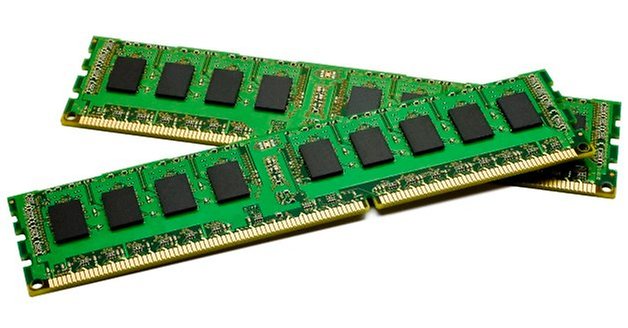
RAM (Random Access Memory) is memory device that is constantly running on the computer as it helps multiple applications/ open data items run at the same time. If a computer or console was turned off, the memory that was in the RAM would be reset and lost meaning that if you was in a game and you didn't save the progress onto the hard drive, then you would have to restart the game all over again from your last save point/ auto save point.
RAM can come in different sizes but the best option of RAM that you should have at least in your PC is about 8GB of RAM. Having this amount is more than enough to maintain all the processes going on in the computer and it should be more than enough to keep your game running at a stable rate. More RAM can help other applications run at the same time whilst playing games, some good examples are applications used to talk to other people which can come in handy in both casual and competitive gaming such as Skype, teamspeak and discord. If you had a low amount of RAM, then having these applications running could effect performance and make the game run slower than it would usually. . Sound
Sound can be provided in games many different ways. Of course the sound is what we hear in games such as character voices, movements, environment, sound effects etc. We can use different Output devices that play the sounds for us and the quality of the sound that we hear can be different depending on the device we use. For example, we can use speakers which openly plays the sounds and the volume can be changed by using thing such as dials, button or in the computer/ console. This is good for if you want to listen to the sounds out loud which would be useful if you even was playing a coop game with friends on the same console so that you could a hear and enjoy the game together, you can also get built in sound in a monitor that works in a similar way to speakers since they are practically the same thing but in the monitor. You can also get devices that can change the sound so pretty much only you can hear it, such as earphones, headphones, headsets, which would be good if you are playing games by yourself or online as you don't need anybody else to hear it and it can also help to stop distracting people that are in the house when the game is too loud and other people don't want to hear it. I think that it is also good because all of the sound is directly going into your ears and you can hear everything that is going on easily and even distinct noises such as footsteps and gunfire which can be very useful in competitive games such as CS:GO and Call of Duty. You can also get audio devices that can perform features such as surround sounds which is really cool since it makes the game feel more realistic and amazing. For example, if you was play an FPS and you heard someone shooting or walking, then you would pretty much hear the direction it was coming from and you would be able to track the enemy just by using sound which could help you out in a game a lot. Surround sounds can come in different ways by using speakers in different location or even in headsets nowadays. I own a Logitech G930 which is a wireless headset and it has the ability to switch to 7.1 surround sound which sounds extremely well, helps me in series of games and I think that it just makes me play better and have an overall better experience. Without sound, games wouldn't be the same as I believe that sound effects, ambiance sounds etc. makes a video game much more intense or emotional and it makes the game have a larger meaning.
Sound is produced through a sound card that is located in the system, and they can vary at different prices. The sound card will usually manually come with the PC or Console as pretty much everyone needs sounds unless your death and/or don't listen to anything with sound. There are sound cards that cost a lot of money for really good and HD sound and then there are cheaper sound cards which I think do the job just fine in a modern day computer or console. There are different types of sounds you can experience such as monophonic output, stereo output and surround sound and each one can create a different experience for the player.
Interface Devices
An Interface Device is the device that allows a person to interact with the game. For example, a keyboard is an interface device because you plug it into your PC and then you can press different keys to create different interactions and outcomes. Another interface device is a controller because if you press a button or move an analog stick, then something in the game will probably happen and the controller is plugged in with a wire or wireless. A touch screen is an interface device because you can choose where to tap on the screen to make something happen that wouldn't of happened if you tapped somewhere else on the screen. Interface Devices are important because these are the devices we use to control anything that happens in the game because each device would usually have multiple button or sticks we can use to interact with the game. A problem with interface devices is that wires can get tangled and wireless devices can run out of battery and stop working mid game which could cause you to lose or miss out in some sort of way which wouldn't be good if you was playing a game that was very competitive for example.
In my opinion, I think that the controller is much easily lay out and designed to fit the hand which is perfect for a gaming purpose. All of the buttons are in convenient areas and customisable whilst a keyboard is much more for multitasking purposes are the keys and controls are lay out in a complex way but it makes it much more easy to do multitasking and typing jobs.
Power Supply
A Power Supply is what powers the machine to run by being plugged into the mains and generates the system using electricity. There are many different types of Power Supplies and companies that create Power Supplies, and some Power Supplies can only power up a certain system depending on the wattage that the system needs. For example, If you are building a custom PC and you choose high end range CPU's and GPU's, then it is extremely likely that you will need to have a Power Supply that can power the system with more than enough wattage. Although that things such as consoles that are already built don't really need to be worried about since it's all already done for you and each different gaming device needs a certain amount of wattage to fully function. If you didn't have enough wattage, then the computer wouldn't run or be able to run fast enough and if you don't have a power supply, then the computer will not run at all.
Comparing a Computer Power supply to Portable gaming device such as a Nintendo 3DS. A Computer Power Supply is directly plugged into the mains and is constantly giving the system power at a direct wattage that can be removed in and out of a computer as they can be changed to a different wattage size to suit your computer.
However, A 3DS Power Supply is different because the battery is supplied with power which can last for up to 3-5 hours and it doesn't have to be constantly plugged in as the power supply is a battery which is charged up for a certain period of time and can be used whilst on the go which is very efficient for places that are outside and not in the house. However, this means that the overall system doesn't use as much power so games that need more power probably wont run as well.
CPU - Central Processing Unit, "the heart of the computer"
A central processing unit (CPU) is the electronic circuitry within a computer that carries out the instructions of a computer program by performing the basic arithmetic, logical, control and input/output (I/O) operations specified by the instructions. The term has been used in the computer industry at least since the early 1960s.[1] Traditionally, the term "CPU" refers to a processor, more specifically to its processing unit and control unit (CU), distinguishing these core elements of a computer from external components such as main memory and I/O circuitry.[2]
AMD is the second-largest supplier and only significant rival to Intel in the market for x86-based microprocessors. Since acquiring ATI in 2006, AMD and its competitor Nvidia have dominated the discrete graphics processor unit (GPU) market.[6]
The clock rate typically refers to the frequency at which a chip like a central processing unit (CPU), one core of a multi-core processor, is running and is used as an indicator of the processor's speed. It is measured in clock cycles per second or its equivalent, the SIunit hertz (Hz). The clock rate of the first generation of computers was measured in hertz or kilohertz (kHz), but in the 21st century the speed of modern CPUs is commonly advertised in GigaHertz (GHz). This metric is most useful when comparing processors within the same family, holding constant other features that may impact performance. Video card and CPU manufacturers commonly select their highest performing units from a manufacturing batch and set their maximum clock rate higher, fetching a higher price.
Microsoft DirectX is a collection of application programming interfaces (APIs) for handling tasks related to multimedia, especially game programming and video, on Microsoft platforms. Originally, the names of these APIs all began with Direct, such as Direct3D, DirectDraw, DirectMusic, DirectPlay, DirectSound, and so forth. The name DirectX was coined as shorthand term for all of these APIs (the X standing in for the particular API names) and soon became the name of the collection. When Microsoft later set out to develop a gaming console, the X was used as the basis of the name Xbox to indicate that the console was based on DirectX technology.[1] The X initial has been carried forward in the naming of APIs designed for the Xbox such as XInput and the Cross-platform Audio Creation Tool (XACT), while the DirectX pattern has been continued for Windows APIs such asDirect2D and DirectWrite.
Vulkan -
Vulkan is a low-overhead, cross-platform3D graphics and computeAPI first announced at GDC 2015 by the Khronos Group.[10][11][12] The Vulkan API was initially referred to as the "next generation OpenGL initiative," or "OpenGL next[13]" by Khronos, but use of those names were discontinued once the Vulkan name was announced.[14] Vulkan is derived from and built upon components of AMD's Mantle API, which was donated by AMD to Khronos with the intent of giving Khronos a foundation on which to begin developing a low-level API that they could standardize across the industry, much like OpenGL.[3][10][15][16][17][18][19]
Like OpenGL, Vulkan targets high-performance realtime 3D graphics applications such as videogames and interactive media across all platforms, and offers higher performance and lower CPU usage, much like Direct3D 12 and Mantle. Vulkan also has the ability to render 2D graphics applications,[20] however it is generally suited for 3D. In addition to its lower CPU usage, Vulkan is also able to better distribute work amongst multiple CPU cores.[21]